

Indeed Setup
Whenever you set up your Reczee account, Indeed integration is already set up for your account job.
- To check this, go to Recruitment Setup on the left navigation bar.
- Open the Job Boards tab (use the arrow on the right of the tab bar if it is hidden).
- Find the Indeed card and check if Indeed is ✅ Connected.
- If not connected, click on opt-in, the Indeed card shows Connected, as other connected boards do.
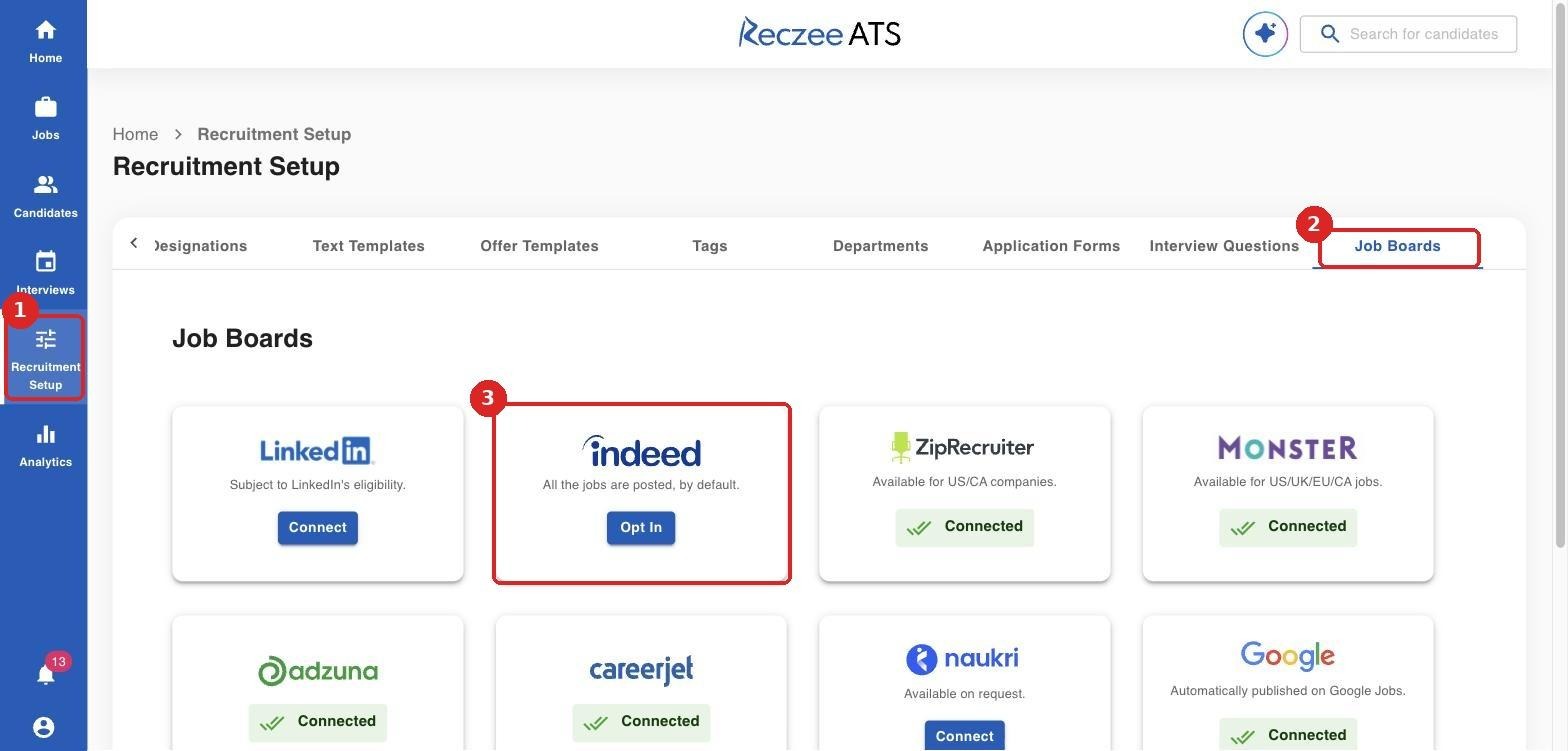
The Indeed card says "All the jobs are posted, by default." Your public jobs can appear on Indeed as regular listings. When candidates apply for jobs on Indeed, the application information directly is visible on the Reczee Platform.
Job visibility settings
Repeat these steps for every job you want to publish to Indeed, including each new job you create.
Step 1: Check the job details
- Go to Jobs and open the job.
- Click the Job Details tab and confirm the Job Title, Job Type, Location and Description are filled in and accurate.
- If anything is missing, click Edit Job Details, update the fields and save.
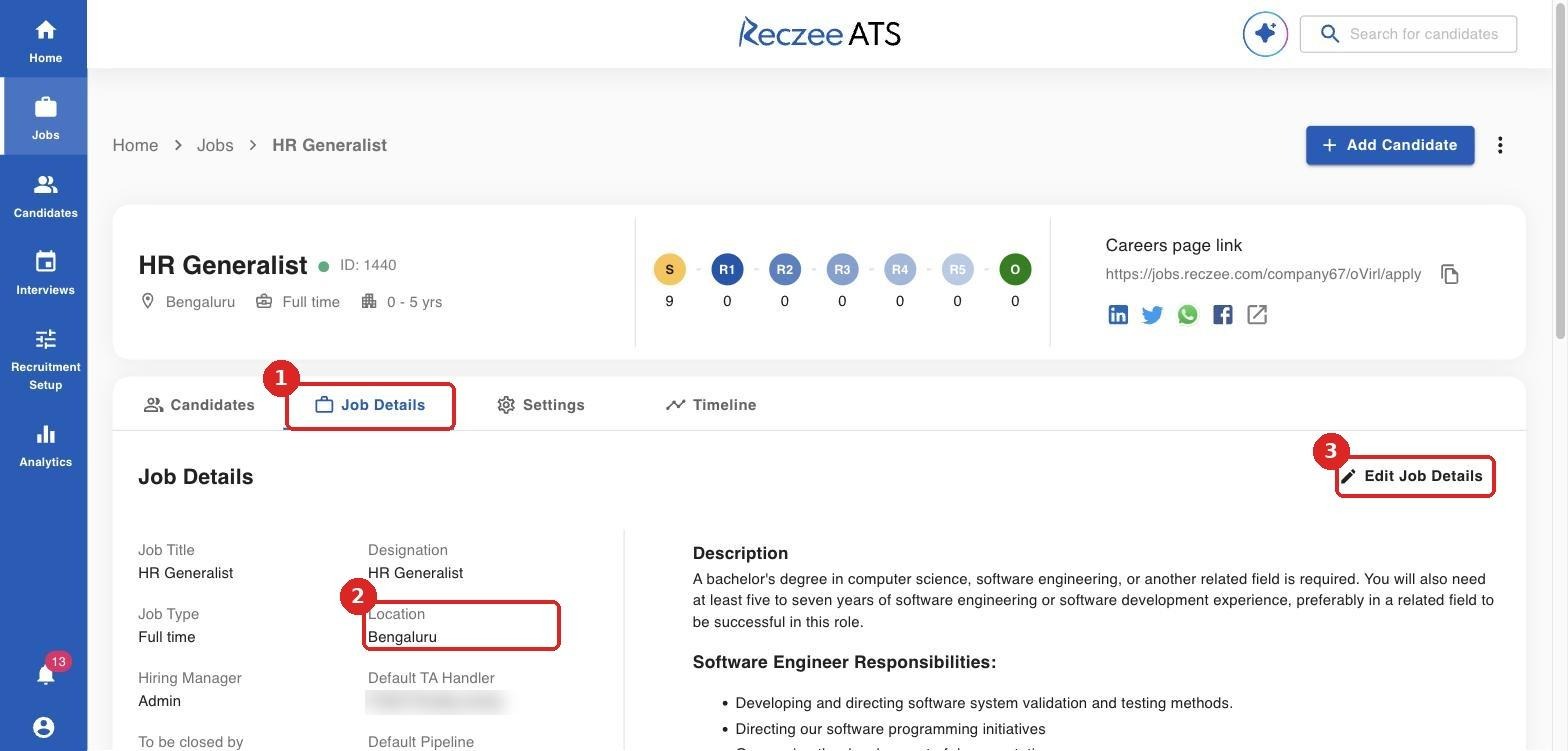
Use a specific city for Location (for example "Bengaluru" rather than "India" or "Remote-anywhere"). Indeed relies on location to show your job to the right candidates.
Step 2: Open the job settings
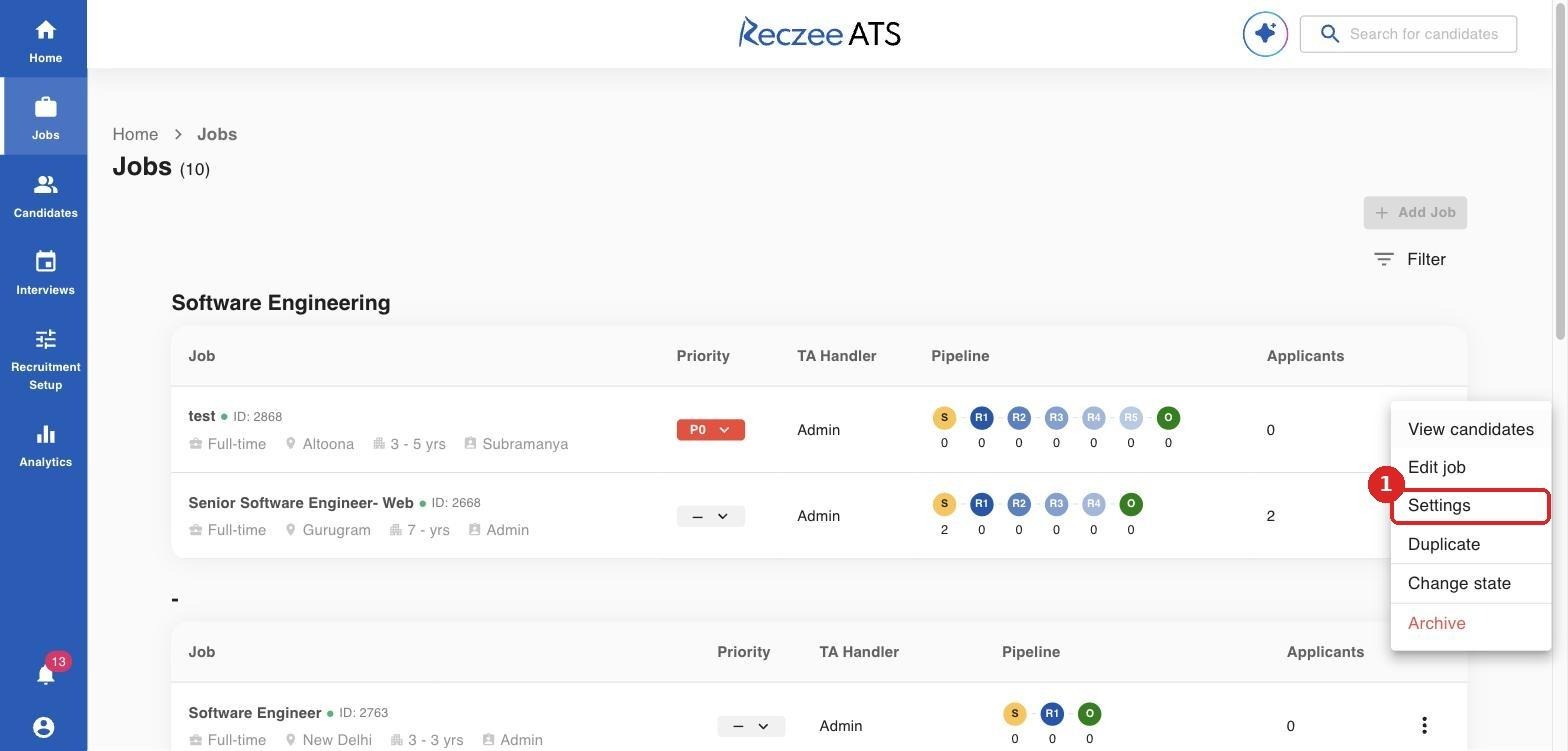
- On the Jobs page, click the three-dot menu (⋮) at the end of the job row.
- Select Settings. You can also open the job and click the Settings tab.
Step 3: Turn on Careers Page and publish to Indeed
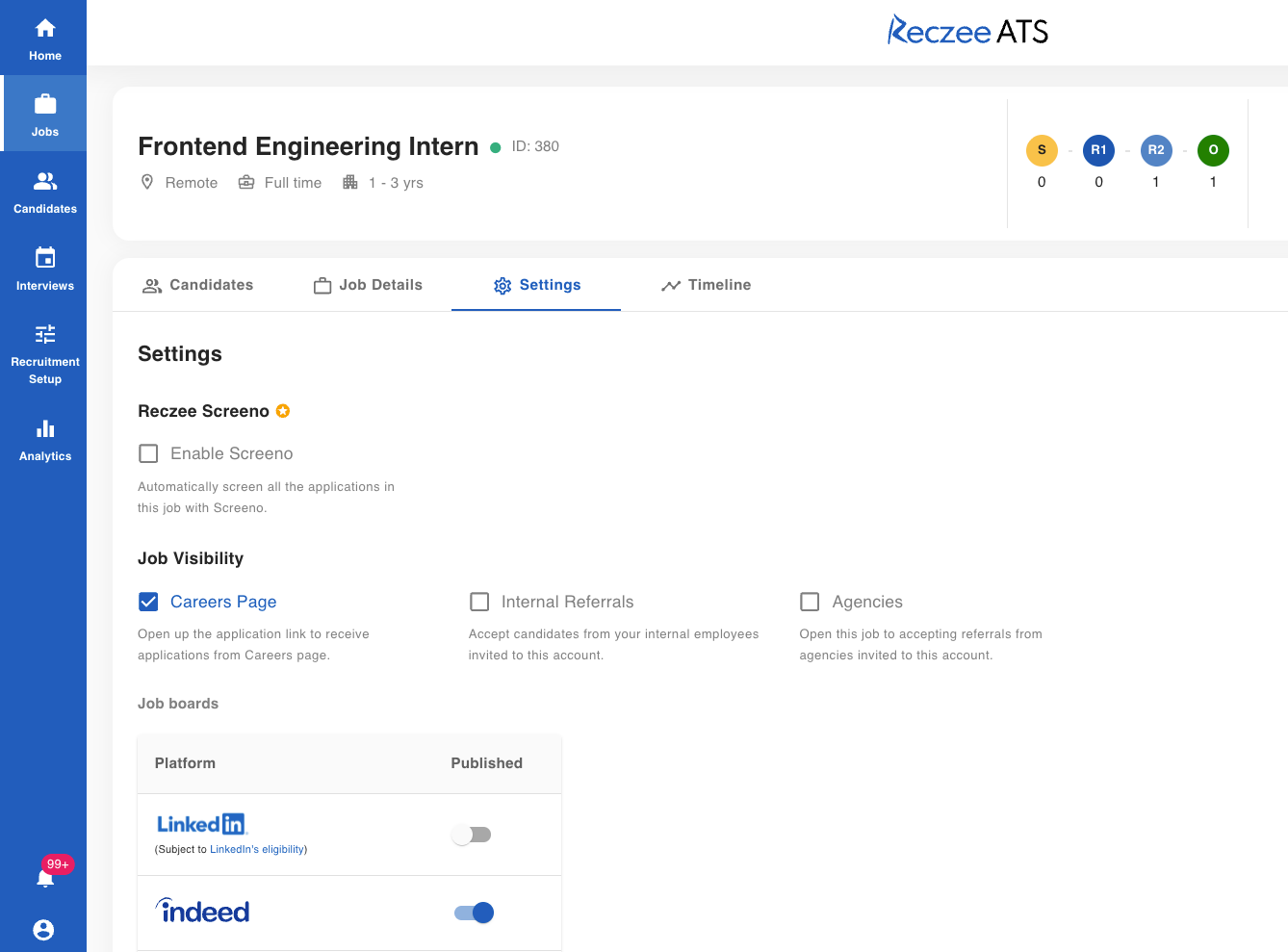
- Under Job Visibility, tick Careers Page. This opens the public application link that Indeed uses.
- Once Careers Page is ticked on, the job will be posted on Indeed by default.
- Check that the toggle stays on (blue).
FAQ
Do I need to set up Indeed separately for every job?
Yes. The opt-in is done once, but each job has its own Indeed toggle. This lets you choose which roles to publish.
Is there a cost to use Indeed Apply through Reczee?
Organic listings on Indeed are free. If you choose to sponsor jobs on Indeed, that is billed by Indeed under your Indeed employer account.
Can I stop publishing a job to Indeed?
Yes. Switch the Indeed toggle off in the job’s Settings, or archive or close the job.
Where do Indeed applicants appear?
In the job’s Candidates tab and on the main Candidates page, with Indeed shown as the source.
Need help?
- Contact Reczee Support or your Customer Success Manager for help with setup.
- For questions about your Indeed employer account, sponsored jobs or Indeed’s posting policies, visit the Indeed Employer Help Center at indeed.com/help/employers.